How to publish a website under ip6.arpa
The idea is a strange little trick: take the reverse DNS zone of an IPv6 prefix and use it as the public address of a website. It works, costs nothing and makes a good DNS lesson. It also won't replace a normal domain, and the sections below explain why.
This builds on Ethan Hawksley's write-up, "How to get a free .arpa domain" (linked in the sources at the end). I changed a few things along the way, mainly the tunnel endpoint: his version used the IPv4 address of a public website to get through the tunnel signup, and this version uses an address that actually belongs to whoever sets it up. Every DNS detail below was checked again in October 2026, and one of them, the Surge target, has changed since he wrote it.
What's really going on #
The final address looks like a domain inside .arpa, but nobody registers it anywhere. Hurricane Electric assigns an IPv6 prefix through its free Tunnel Broker and delegates the matching reverse zone to the chosen nameservers. As long as that assignment exists, the DNS records below it can be managed freely, including a host like site.<your-zone>.ip6.arpa.
IANA reserves .arpa for internet infrastructure. The ip6.arpa subtree exists to turn IPv6 addresses back into names (reverse DNS), and RFC 3596 leaves room for other record types in that tree. That technical margin is what makes the experiment possible.
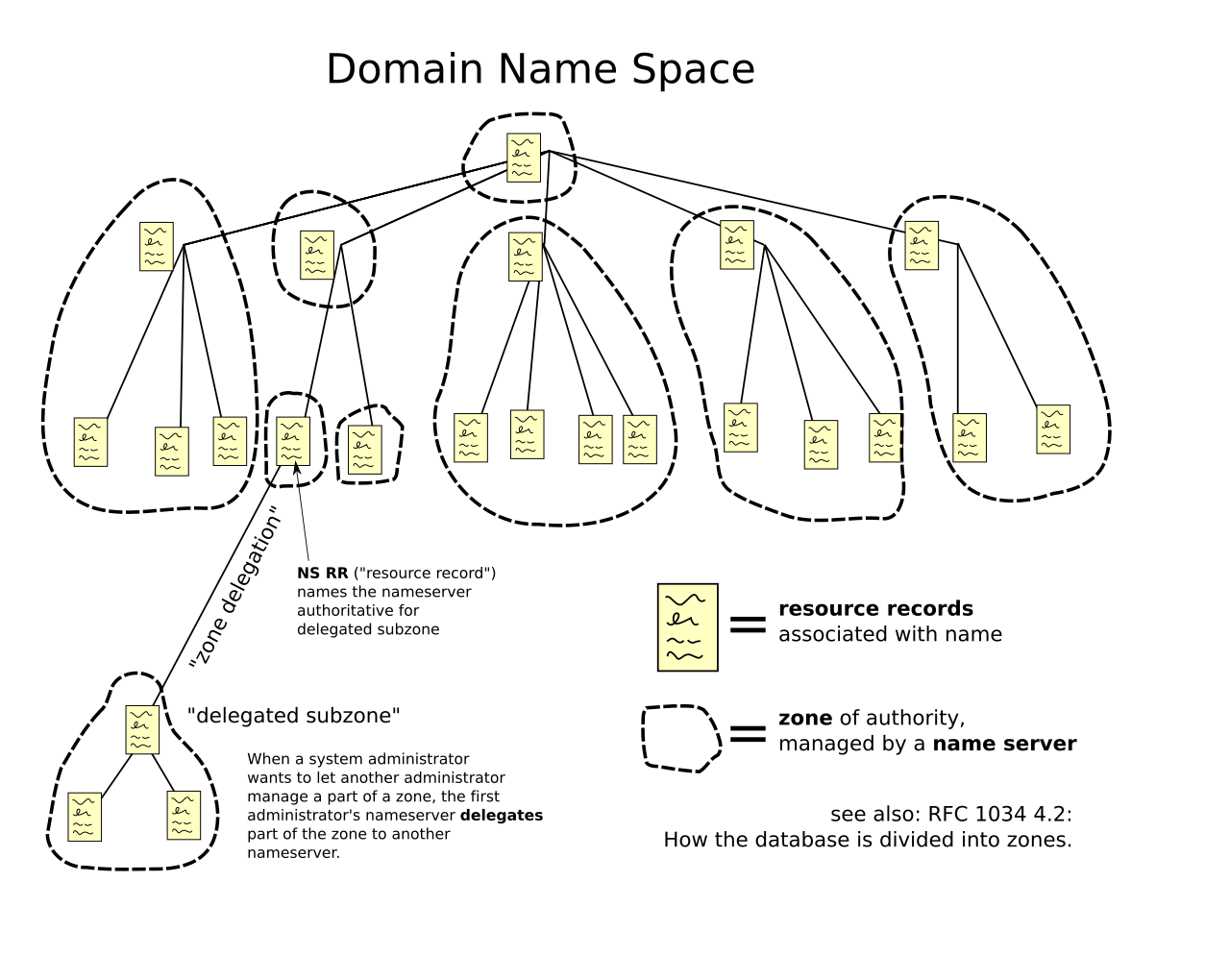
In short, this is a DNS lab. The name isn't short, it isn't permanent and it isn't meant for production. It depends on the tunnel, on the reverse delegation, on deSEC and on the hosting service, all at the same time.
What it takes #
- A public IPv4 address that you control, answering ping (ICMP) so the Tunnel Broker can validate it.
- A network that allows a Hurricane Electric IPv6 tunnel.
- Free accounts on the Hurricane Electric Tunnel Broker, deSEC and Surge.
- Node.js or Bun, plus a terminal.
- A tiny static site. A single index.html is enough.
Sign up with real details, and with an IPv4 address that's yours or that you're allowed to operate. The Tunnel Broker terms ask for accurate contact information and forbid falsifying any of it. Beyond the contract, an endpoint that belongs to someone else can vanish or change without warning, taking the tunnel with it.
How to read an ip6.arpa name #
Each block of an IPv6 address between colons is a group of four hex digits. To build the reverse name, pad every group to four digits with leading zeros, split each hex digit off on its own (each one is called a nibble), reverse the whole sequence and add ip6.arpa at the end.
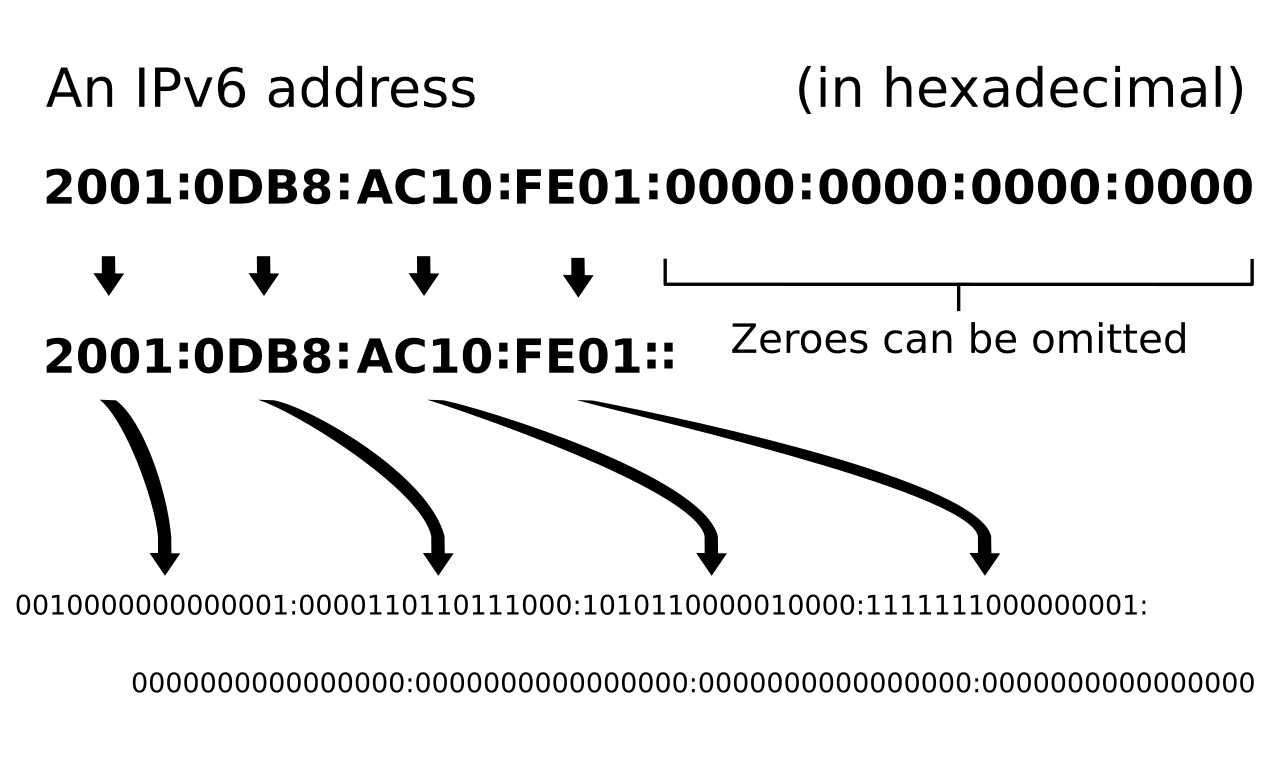
With the example prefix from the original article, 2001:470:1f09:140::/64, it goes like this:
Step
Result
Prefix you received
2001:470:1f09:140::/64
Pad with zeros (first 64 bits)
2001:0470:1f09:0140
Split the nibbles
2.0.0.1.0.4.7.0.1.f.0.9.0.1.4.0
Reverse and append
0.4.1.0.9.0.f.1.0.7.4.0.1.0.0.2.ip6.arpa
That example zone is still delegated to deSEC today, so it's a good one to query and compare.
Step 1: create the IPv6 tunnel #
Go to tunnelbroker.net, create an account with real details and confirm your email. In the dashboard, pick Create Regular Tunnel from the menu on the left.
In the IPv4 Endpoint field, put the public address of your own connection or server. It has to answer ping at the moment you submit the form. Pick a nearby tunnel server. For real traffic, distance and routing affect latency and stability.
Step 2: find the routed prefix #
Once the tunnel exists, open its details and look for Routed IPv6 Prefixes. This guide only needs the Routed /64, not the server address or the Client IPv6 Address.
Take only the first 64 bits of that prefix and turn them into the reverse name using the table above.
Step 3: create the zone on deSEC #
Create a deSEC account and, during signup or later in the dashboard, choose the option to use your own domain. Enter the calculated ip6.arpa zone, without any subdomain for the site yet. (The original article notes that Cloudflare didn't accept this kind of domain.)
Write down the nameservers deSEC shows. They should be ns1.desec.io and ns2.desec.org, but use whatever your account actually shows.
Step 4: delegate the reverse DNS #
Back in the Tunnel Broker, open the rDNS Delegations area of your tunnel and enter the deSEC nameservers. This delegation is what makes queries for that piece of ip6.arpa land on the new zone.
The delegation can take a while to show up. Before publishing anything, check that the authoritative servers answer. On Linux or macOS:
dig +short NS 0.4.1.0.9.0.f.1.0.7.4.0.1.0.0.2.ip6.arpa
On Windows, in PowerShell:
Resolve-DnsName -Type NS 0.4.1.0.9.0.f.1.0.7.4.0.1.0.0.2.ip6.arpa
Swap the example zone for yours. If deSEC doesn't show up in the answer yet, wait for the TTL to expire and try again.
Step 5: publish the site on Surge #
In a new folder, create an index.html. Something tiny is enough for a test:
<!doctype html>
It works
This site lives in an IPv6 reverse zone.
From inside that folder, publish it under a host below the zone. The example uses site because a CNAME can't sit at the apex of the zone, where the NS and SOA records already live.
npx surge . site.0.4.1.0.9.0.f.1.0.7.4.0.1.0.0.2.ip6.arpa
bunx surge works with the same arguments. On the first run, Surge asks for a free account. At the end, note the DNS target the tool prints.
Step 6: create the CNAME on deSEC #
In the deSEC zone, create a CNAME record. In Subname, put only site (or whatever name went into the Surge command). As the target, use the host Surge named.
This is the detail that changed: Surge's custom domain docs now say to point a CNAME at geo.surge.world (older guides, including the original one, mention surge.sh addresses). If the terminal prints a different target, follow it.
Step 7: check the DNS and open the site #
Test in layers. First the NS delegation, then the CNAME on the host, then the HTTP answer:
dig +short NS .ip6.arpa
dig +short CNAME site..ip6.arpa
curl -I http://site..ip6.arpa
On Windows, Resolve-DnsName -Type NS and Resolve-DnsName -Type CNAME do the same job, and curl.exe -I covers the last line.
If the name doesn't resolve, the resolver may have cached an NXDOMAIN from before the records existed. Wait for the TTL, flush the local DNS cache (ipconfig /flushdns on Windows) and try again. Also check that the delegation uses exactly the deSEC nameservers, that the CNAME is on the right subname and that the domain shows up in the Surge account.
The HTTPS wall #
Treat this address as HTTP only. Since 15 March 2026, the CA/Browser Forum Baseline Requirements say public certificate authorities "SHALL NOT issue Certificates containing Domain Names that end in an IP Reverse Zone Suffix", and that includes ip6.arpa. Surge normally provisions a free certificate for custom domains on its own, but no public CA is allowed to sign one for this name, so don't count on a certificate that browsers trust.
In practice: no passwords, no forms, no personal data and nothing sensitive on this site. A private certificate authority can work in a controlled lab, but then every device has to be told to trust it by hand.
Common problems #
Symptom
What to check
The Tunnel Broker rejects the endpoint
Make sure the IPv4 is public, under your control and answers ICMP. CGNAT usually rules this setup out.
deSEC won't accept the zone
Check the nibbles. Every digit needs its own dot, and the order must be reversed.
NS still points somewhere else
Wait for the delegation and confirm both nameservers were saved in the Tunnel Broker.
The CNAME doesn't resolve
Create it on a subname like site. A CNAME can't live at the zone apex.
The browser keeps forcing HTTPS
Type http:// explicitly. Some browsers or local policies force HTTPS and will block the page.
The site disappears later
Check that the tunnel and the prefix are still active and that your deSEC and Surge accounts are still valid.
Where it's worth it #
I'd use an address like this to learn and to show how IPv6, reverse DNS and delegation fit together. For a project that needs to stay online, I'd pick a regular registrable domain with public HTTPS. The value here is the path: start from an IPv6 prefix, manage a reverse zone of your own and end up with a site that opens in a browser.
The URL is long, the chain depends on several services, and the assignment can end along with the tunnel (Hurricane Electric's terms say assigned addresses can only be used while the customer relationship lasts, with the service they came with).
Sources #
- Ethan Hawksley, How to get a free .arpa domain (the write-up this guide builds on)
- IANA, the .arpa domain
- RFC 3596, DNS extensions for IPv6, section 2.5 (IP6.ARPA)
- Hurricane Electric Tunnel Broker
- Tunnel Broker terms of service
- deSEC docs: managing records
- Surge docs: custom domains
- CA/Browser Forum, Ballot SC-086v3: sunset the inclusion of IP reverse address domain names
- CA/Browser Forum Baseline Requirements, section 4.2.2
- Domain name space diagram on Wikimedia Commons
- IPv6 address diagram on Wikimedia Commons

